How to Find Your Hosting Nameservers on NinzaHost?
Setting up your domain correctly requires knowing your hosting nameservers. If you’re using NinzaHost, finding your nameservers is quick and easy.
In this guide, we’ll walk you through the exact steps to locate your hosting nameservers effortlessly.
By the end of this article, you will be able to:
✅ Find the nameservers for your hosting service
✅ Copy and apply them to your domain settings
✅ Troubleshoot any issues related to nameservers
Steps to Find Your Hosting Nameservers
Finding your hosting nameservers is crucial for pointing your domain to the right provider. You can easily locate them through your hosting control panel or support. Follow the steps below to find your nameservers.
Step 1: Log in to the NinzaHost Client Area
Before accessing your nameservers, you need to log in to your NinzaHost account.
- Visit NinzaHost.
- Click on the Login button.
- Enter your Email and Password to log into your NinzaHost account.
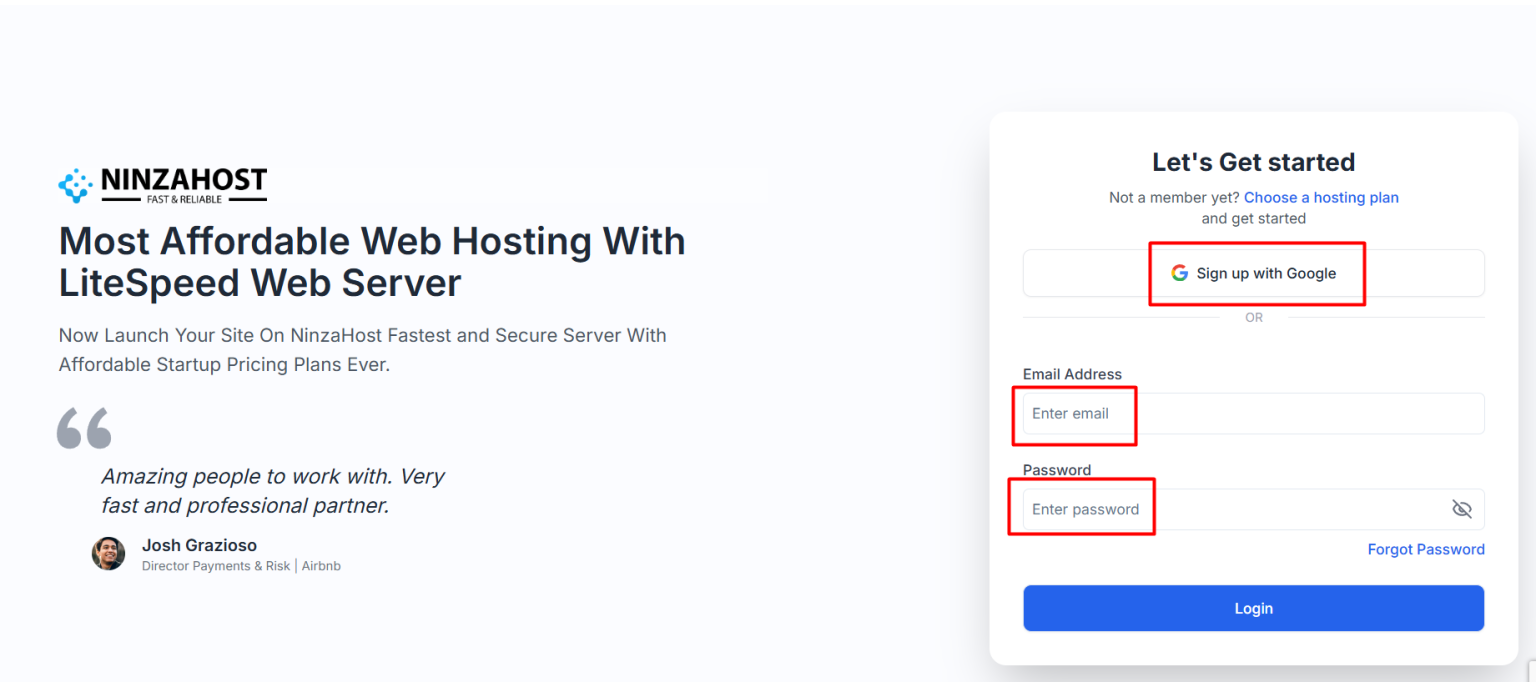
💡 Pro Tip: If you forgot your password, click “Forgot Password” and follow the instructions to reset it.
Step 2 – Access Your Dasboard
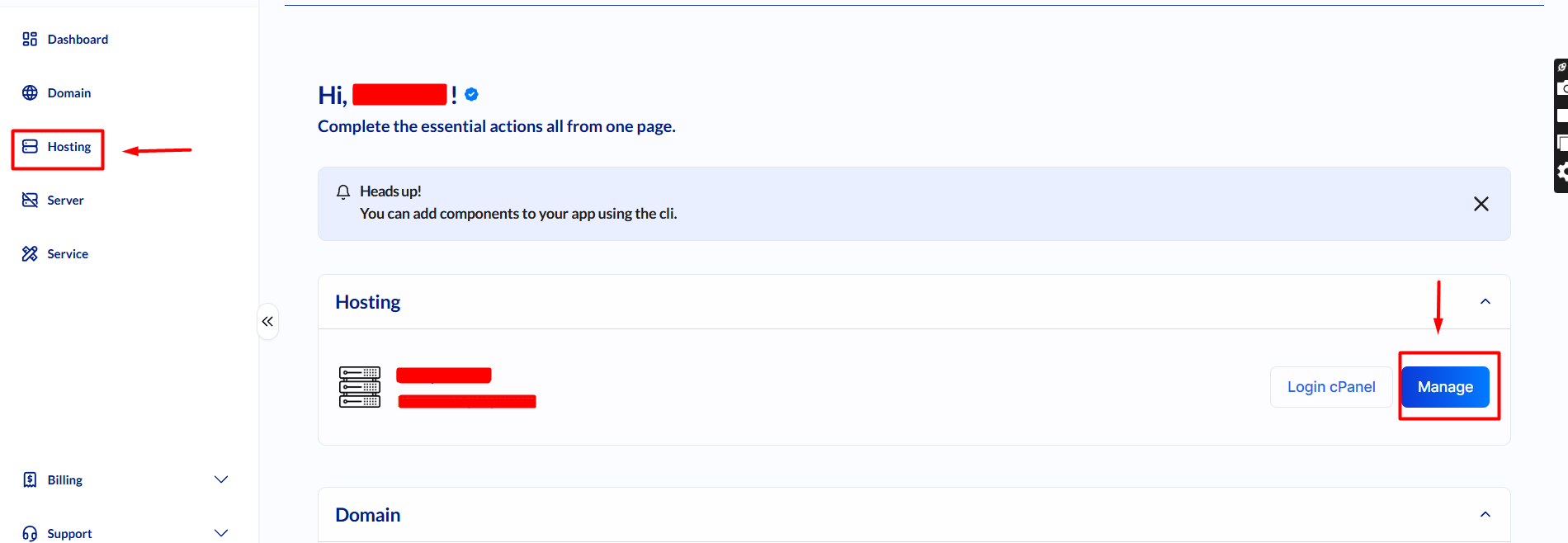
- You will see two options:
- Manage – Select this option if you need the nameservers.
- Hosting – Select this, and you will also find a Manage option inside.
- Wait a few seconds for the next page to load.
Step 3 – Retrieve Your Nameservers
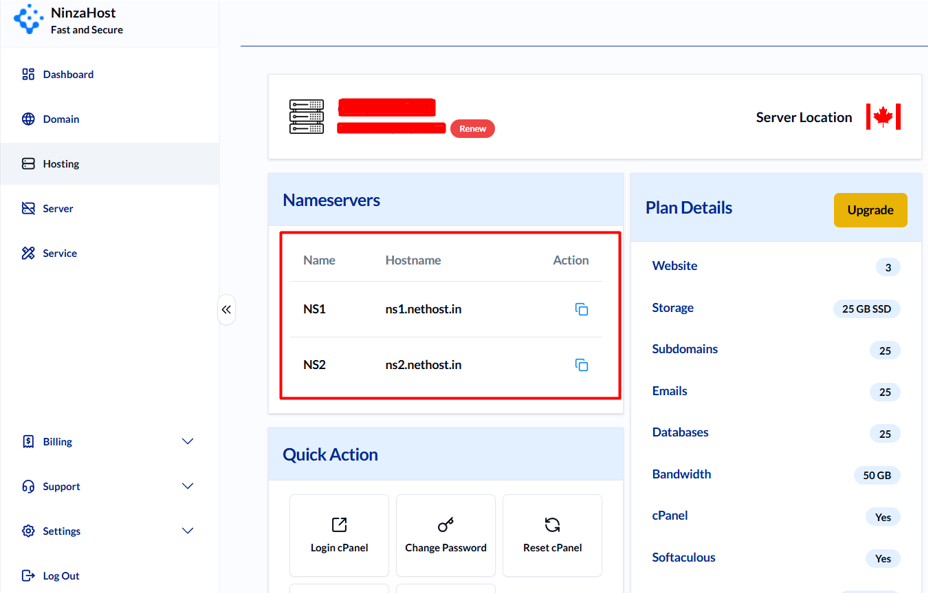
- Your nameservers will be displayed at the top of the page.
- Copy them and update your domain’s nameserver settings accordingly.
🎯 That’s it! You’ve successfully found your hosting nameservers.
Troubleshooting Nameserver Issues
If you are unable to locate your nameservers, here are some common issues and solutions:
🔹 Nameservers Not Displaying: Try refreshing the page or checking under your hosting product details.
🔹 Domain Not Resolving: Ensure you’ve updated the nameservers at your domain registrar.
🔹 DNS Propagation Delay: It can take up to 24-48 hours for changes to take effect.
🔹 Incorrect Nameservers Entered: Double-check your entries to avoid downtime.
If none of these solutions work, contact our support team via live chat for assistance.
FAQs
-
Where do I enter the nameservers for my domain?
Log in to your domain registrar and update the nameservers in the DNS settings section.
-
How long does it take for nameserver changes to take effect?
Typically, DNS propagation takes between 24-48 hours, but sometimes it updates within a few hours.
-
What if my website is still not working after changing nameservers?
Try clearing your browser cache or using a DNS checker tool to confirm propagation. If the issue persists, contact our customer support.
Final Words
Finding your hosting nameservers on NinzaHost is simple and takes just a few clicks. By following the methods above, you can efficiently configure your domain and get your website up and running smoothly.
Thanks for visiting the NinzaHost Blog! If you found this guide helpful, share it with others who might need assistance! 🚀
For any further queries, don’t hesitate to reach out to NinzaHost support.