Skip to content

NinzaHost Blog

NinzaHost Blog

  • Home
  • Hosting
  • Contact Us
  1. Home
  2. /Cpanel
  3. /How to Login into cPanel ? | Step to Login into cPanel
How to login into cPanel

How to Login into cPanel ? | Step to Login into cPanel

Cpanel / October 9, 2020 / NinzaHost / 0

In this article, you will learn how to login to NinzaHost cPanel.

Follow Below Steps :

Step: 1


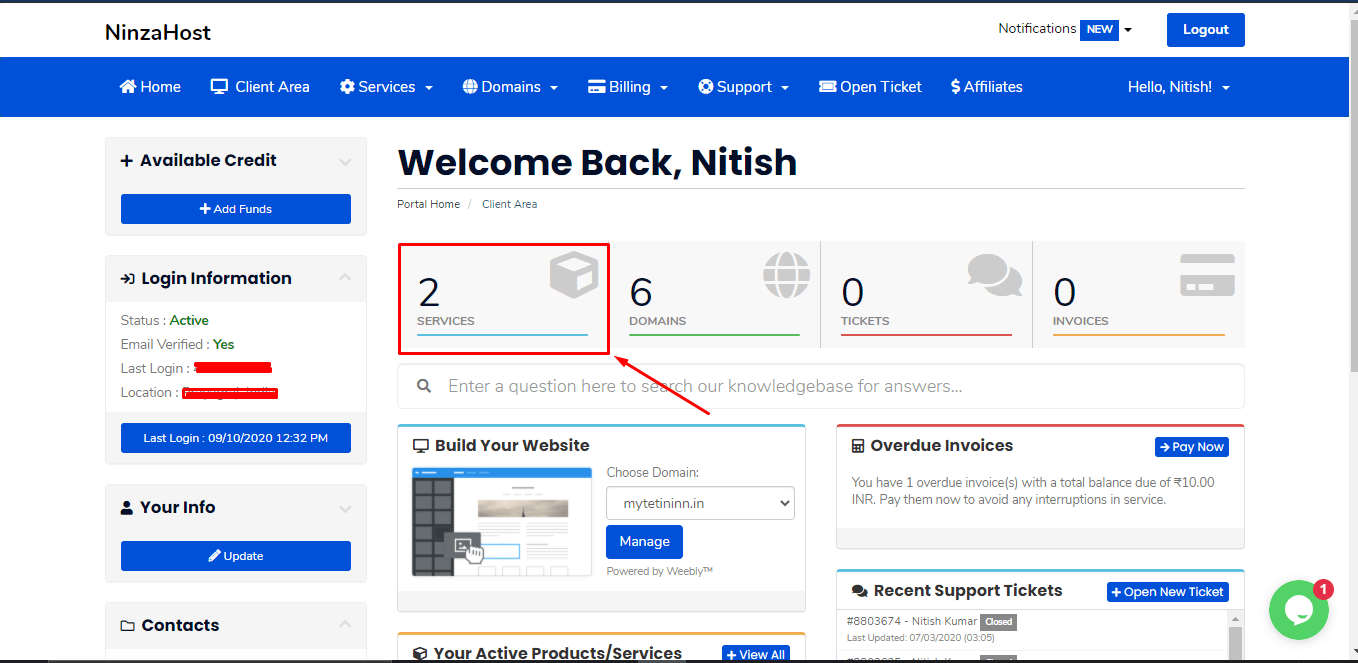
First, you need to login to the client area (NinzaHost account).

login to the client area

Step: 2


Click on “Services” Option


Services

Step : 3


Select “Plan/Service” in which you want to login.Plan/Service


Step: 4


On the left side, inside the action tab, there is an option for ” Login to cPanel “.


Thanks For Reading this article if still having any issue kindly ping us over chat.

Post Views: 747

NinzaHost

Affordable Web Hosting Provider

How To Install Let’s Encrypt Free Ssl On Cpanel Hosting How to add another domain into cPanel/Hosting ? | Addon Domain

Related posts

What is a cPanel? The Ultimate Web Hosting Control Panel

What is a cPanel? The Ultimate Web Hosting Control Panel

How to Change Your cPanel Password from Client Area?

How to Change cPanel Password from Client Area?

How to Reset Your cPanel via Client Area?

How to Reset Your cPanel via Client Area?

How to Login to cPanel from Client Area?

How to Login to cPanel from Client Area?

How to manage DNS Records from cPanel?

How To restore WordPress Backup From Softaculous

Latest posts

How to Enable ID Protection for Your Domain

How to Enable ID Protection for Your Domain?

How to get your domain Authentication Code from Client Area

How to get your Domain Authentication Code from Client Area?

How to check and reply to your opened tickets

How to Check & Reply To Your Opened Tickets

How to renew your web hosting service?

How to renew your web hosting service?

How to View and Pay Your Invoice from Client Area?

How to Enable Transfer Lock for Your Domain?

How to Enable Transfer Lock for Your Domain?

Leave a Comment

Leave a Reply Cancel reply

Your email address will not be published. Required fields are marked *

SEARCH HERE

Recent Posts

  • How to Enable ID Protection for Your Domain?
  • How to get your Domain Authentication Code from Client Area?
  • How to Check & Reply To Your Opened Tickets
  • How to renew your web hosting service?
  • How to View and Pay Your Invoice from Client Area?

Copyright © 2026 NinzaHost

Search